


Ask a dozen Android users what an APK is and most will have no answer; ask them to install the 1xBet app and the answer suddenly matters during setup. The sections ahead handle download Safety and Install Steps, before weighing the app against the browser option.
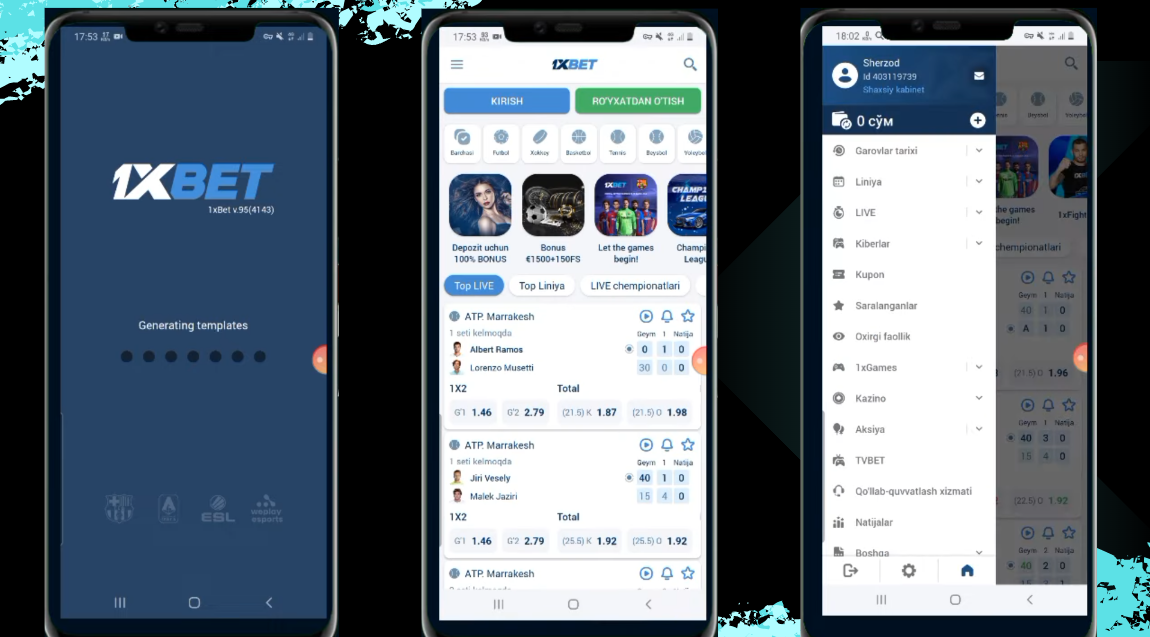
The 1xBet APK Defined
APK is short for Android Package Kit, the file format Android uses to deliver and set up applications. The 1xBet APK is simply the 1xBet app packaged in that format so Android users can install it directly on their phones or tablets.
Unlike apps from the Google Play Store, the 1xBet APK is typically downloaded straight from the operator's website because gambling apps face distribution restrictions on Google's platform in many regions. This does not make the file unsafe by default, but it does mean you carry more responsibility for checking where the file comes from.
The app itself combines the full 1xBet product line in one install: sports betting, live betting, casino games, account management, and payments. What you see inside the app can vary by region, operating system version, and the specific release you install, so screens described here may look slightly different on your device.
Getting the 1xBet App on Your Phone
The single most important safety decision happens before installation: choosing your download source. A genuine 1xBet APK comes from the operator's own web pages or trusted partner pages, never from random file-sharing sites, forums, or links sent in unsolicited messages.
Before you tap any download button, run through a short checklist. It takes under a minute and filters out most of the risk.
- Type the address yourself or use a saved bookmark rather than following links from unknown messages.
- Check that the site loads over HTTPS and that the domain name is spelled correctly, without extra words or hyphens.
- Confirm the download is labeled clearly as the Android app, not a generic "installer" or "loader".
- After downloading, look at the file name — it should end in .apk and carry a sensible app-related name.
For a detailed walkthrough of the application itself, the 1xBet app page 1xbet mobile app download new version explains what the software offers once installed. Treat any page that asks for payment in exchange for the APK file as a red flag, since the app is distributed free of charge.
If a site offers a "modded" or "premium unlocked" version of the 1xBet APK, avoid it entirely. Repackaged files can contain altered code, and logging into a tampered app puts your account credentials and balance at risk.
1xBet Installation on Android Devices
Installing an APK on Android requires one extra step compared to Play Store apps: granting permission to install from unknown sources. Modern versions of Android handle this per app-source, meaning you allow your browser or file manager to install apps rather than flipping one global switch.
The whole process usually takes just a few minutes. Follow these steps in order:
- Download the 1xBet APK file to your phone using your mobile browser.
- Tap the downloaded file, either from the browser's download notification or from your file manager's Downloads folder.
- When Android asks for permission, allow installs from this source — your browser or file manager — for this installation.
- Confirm the installation prompt and wait for the progress bar to finish.
- Start the app, log in with your existing account, or register a new one.
One smart habit worth keeping: after the installation completes, you can revoke the unknown-sources permission from the same settings menu. The installed app keeps working normally, and you close the door on any other app trying to install software through that source later.

The table below summarises what Android asks of you during a typical 1xBet APK installation.
| Step | What Happens | Your Action |
|---|---|---|
| Download | APK file saved to storage | Verify source and file name |
| Permission | Android requests unknown-sources access | Allow for this source only |
| Install | Package installer runs | Tap Install and wait |
| First launch | App opens login screen | Sign in or register |
1xBet App Version Updates
Because the app does not come from the Play Store, it will not update through Google's automatic update channel. Instead, updates arrive as new APK versions that you download and install over the existing one, or through prompts built into the app itself.
Android has a strict rule here that matters for safety: an update only installs over an existing app if both versions are signed with the same developer certificate. If you ever try to update and Android refuses, claiming a signature or certificate conflict, that mismatch is a warning sign — the new file did not come from the same publisher as your installed copy.
To keep updates clean and trouble-free, stick to a simple routine:
- Download updates from the same source you used for the original installation.
- If the app offers an in-app update prompt, use it rather than hunting for files elsewhere.
- Never install an "update" from a third-party site you have not used before.
- Keep your login details handy, as some updates may require you to sign in again.
If you ever uninstall the app completely, remember that this can remove local app data stored on the device. Your account balance and history live on the operator's servers and remain safe, but settings and cached preferences may need to be configured again after reinstalling.
Using the 1xBet App Day to Day
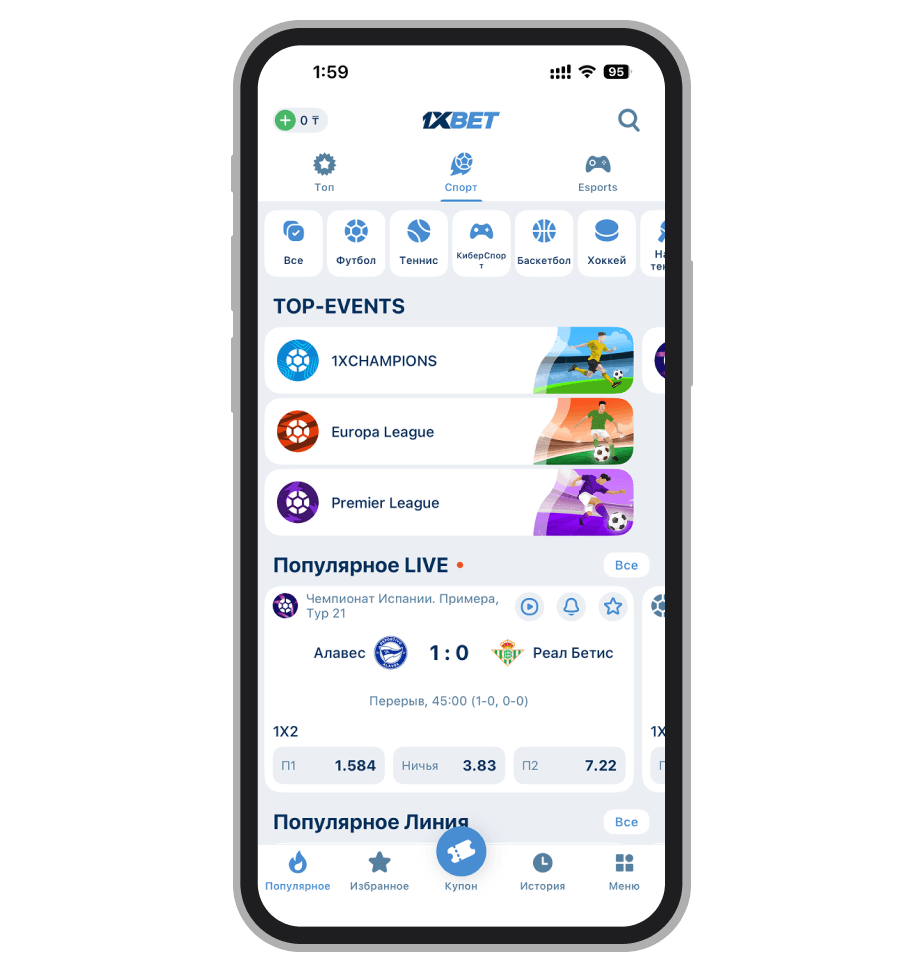
Once installed, the 1xBet app mirrors the full functionality of the desktop platform in a layout built for touchscreens. The home screen typically surfaces live events and popular markets, with navigation tabs or a side menu for everything else.
Sports betting covers pre-match and in-play markets across a wide range of sports, with live betting sections updating odds in real time. Casino players get slots, table games, and live dealer rooms inside the same app, so there is no need for a separate installation.
Account features round out the package:
- Deposits and withdrawals through the payment methods available in your region during setup on your device.
- Bet history, transaction records, and active bonus tracking during setup.
- Profile settings, including password changes and security options.
- Notifications for match results, settled bets, and promotions, which you can toggle in settings.
Payment method availability, interface languages, and even some feature sets vary by region and app release, so the exact menu layout on your phone may differ from screenshots you see online. The core loop — deposit, bet, withdraw — stays consistent everywhere.
1xBet APK Error Fixes
Most installation problems fall into a handful of familiar categories, and nearly all of them have straightforward fixes. Before assuming the file is broken, work through the basics: storage space, permission settings, and file integrity.
The table below pairs the errors users report most often with their usual causes and remedies.
| Problem | Likely Cause | Fix |
|---|---|---|
| "App not installed" | Corrupted download or signature conflict | Delete the file, re-download from the same source |
| Parse error | Incomplete or damaged APK file | Download again over a stable connection |
| Install blocked | Unknown-sources permission not granted | Permit installs for the browser or file manager you are using |
| Not enough storage | Insufficient free space on the device | Clear space, then retry the installation |
| App crashes on launch | Outdated version or OS incompatibility | Install the newest release for your device |
A few additional habits prevent most issues before they start:
- Download over Wi-Fi or a stable mobile connection to avoid truncated files.
- If a re-download keeps failing, clear your browser's cache and try again.
- Restart the phone after granting new permissions if the installer still refuses to run.
- When nothing else works, uninstall any older copy first, then install the fresh APK — noting this may clear local app data.
If problems persist after these steps, the 1xBet download page 1xbet mobile app app free is the right place to grab a fresh copy of the installation file. Avoid downloading "fixer" tools or helper apps from elsewhere, as these solve nothing and often create new problems.
The 1xBet Mobile Site Option
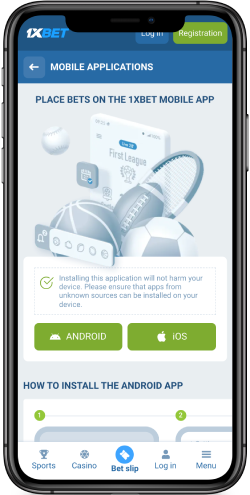
Not everyone wants to install an APK, and the 1xBet mobile website exists precisely for that situation. It runs in any modern mobile browser, requires no installation, no unknown-sources permission, and no manual updates — the site is always the current version by definition.
The trade-off is mostly about convenience and performance. The installed app tends to load faster, supports push notifications, and keeps you logged in more reliably, while the mobile site works instantly on any device without touching your storage or security settings.
Choose based on how you play:
- Pick the app if you bet regularly, want notifications, and prefer a persistent logged-in session.
- Pick the mobile site if you bet occasionally, share your device, or cannot change install permissions.
- Use both — many players install the app on their main phone and keep the site bookmarked as a backup.
Functionally, both channels connect to the same account, the same balance, and the same markets, so switching between them mid-session causes no disruption.

FAQ
How safe is the 1xBet APK to download?
The file itself is safe when it comes from the operator's own distribution channels, but safety depends entirely on the source you choose. Download only from pages you reached by typing the address yourself, and never install repackaged or "modified" versions.
Why does Android block the 1xBet installation?
Android blocks APK installs until you grant the unknown-sources permission to the specific app handling the file, usually your browser or file manager. This is a standard security layer for all sideloaded apps, not a sign that something is wrong with the 1xBet file.
Can I revoke the install permission after installing?
Yes — and doing so is good practice. The installed 1xBet app keeps working normally after you revoke the permission, while no other app can use that source to install software without your knowledge on Android on Android on Android on Android on Android on Android on Android on Android on Android on Android on Android on Android on Android on Android on Android on Android on Android on Android on Android on Android on Android on Android on Android on Android on Android on Android on Android on Android on Android on Android on Android on Android on Android on Android on Android on Android on Android on Android on Android on Android on Android on Android on Android on Android on Android on Android on Android on Android on Android on Android on Android on Android on Android on Android on Android on Android on Android on Android on Android on Android on Android on Android on Android on Android on Android on Android on Android on Android on Android on Android on Android on Android on Android on Android on Android on Android on Android on Android on Android on Android on Android on Android on Android on Android on Android on Android on Android on Android on Android on Android on Android on Android on Android on Android on Android on Android on Android on Android on Android on Android on Android on Android on Android on Android on Android on Android on Android on Android on Android on Android on Android on Android on Android on Android on Android on Android on Android on Android on Android on Android on Android on Android on Android on Android on Android on Android on Android on Android on Android on Android on Android on Android on Android on Android on Android on Android on Android on Android on Android on Android on Android on Android on Android on Android on Android on Android on Android on Android on Android on Android on Android on Android on Android on Android on Android on Android on Android on Android on Android on Android on Android on Android on Android on Android on Android on Android on Android on Android on Android on Android on Android on Android on Android on Android on Android on Android on Android on Android on Android on Android on Android on Android on Android on Android on Android on Android on Android on Android on Android on Android on Android on Android on Android on Android on Android on Android on Android on Android on Android on Android on Android on Android on Android on Android on Android on Android on Android on Android on Android on Android on Android on Android on Android on Android on Android on Android on Android on Android on Android on Android on Android on Android on Android on Android on Android on Android on Android on Android on Android on Android on Android on Android on Android on Android on Android on Android on Android on Android on Android on Android on Android on Android on Android on Android on Android on Android on Android on Android on Android on Android on Android on Android on Android on Android on Android on Android on Android on Android on Android on Android on Android on Android on Android on Android on Android on Android on Android on Android on Android on Android on Android on Android on Android on Android on Android on Android on Android on Android on Android on Android.
What should I do if an update refuses to install in practice?
A signature or certificate conflict means the update file was signed differently than your installed copy, which happens when files come from different sources. Delete the new file and download the update from the same source as your original installation.
Do I need the APK if the mobile site works fine?
No, the mobile site covers the same betting and account features without any installation. The app simply adds conveniences like faster loading, push notifications, and a more persistent login for players who bet frequently.